Search for AI video editing and you will find a dozen pages listing the same tools, several of them repeating the same two statistics: that AI now automates 80% of video editing tasks, and that creators using it see three times the engagement.
Neither figure has a study, a sample size or a methodology attached anywhere we could find. Both appear on pages published by companies selling AI editing tools. Treat them accordingly.
The underlying claim is not wrong, though. Something has genuinely changed in video and podcast production over the past two years, and it is more interesting than a tool ranking. AI has taken over a specific set of jobs almost completely — jobs that used to consume the majority of a creator’s post-production time — while barely touching others. Knowing which is which is the difference between a workflow that saves you a day a week and one that quietly degrades your output.
There is also a hardware half to this story that the software listicles miss entirely, and it may matter more than any of the AI features.
Table of contents
- The five jobs AI has genuinely taken over
- Text-based editing: the one that changed the workflow
- What AI still gets wrong
- The hardware half nobody mentions
- Premiere Pro and DaVinci Resolve: where each stands
- A realistic AI-assisted workflow
- What this means for people who edit for a living
- FAQs
The five jobs AI has genuinely taken over
Not “assists with.” Taken over, in the sense that doing them manually is now a deliberate choice rather than a default.
1. Transcription. Automatic transcription is fast, cheap and accurate enough on clean audio that manual transcription has effectively ended as a task. This is the foundation everything else in this list is built on.
2. Captions and subtitles. Generated from that transcript, with timing handled automatically. Human review is still needed for names, jargon and brand terms, but the work went from hours to minutes.
3. Filler-word and silence removal. Detecting and cutting “um,” “uh” and dead air is a pattern-matching problem that software does well and humans find tedious. This is one of the clearest wins in the entire pipeline.
4. Reformatting for other platforms. Auto-reframe tools track the subject and re-crop horizontal footage to vertical. The result is not always what a human would choose, but it is close enough often enough that producing a vertical version stopped being a separate edit.
5. Rough clip selection. Tools that scan a long recording and propose short-form clips are genuinely useful as a shortlist generator. They surface candidates; a human still picks and trims.
The common thread is worth noticing: all five are mechanical, high-volume and objectively checkable. Where a task has a right answer that can be verified quickly, AI has taken it. That is the pattern that predicts what falls next.
Text-based editing: the one that changed the workflow
If only one feature from the last few years survives, it is this one, and it is now standard in the major professional tools rather than a novelty in a separate app.
Text-based editing generates a transcript from your footage and lets you edit the video by editing the words. Delete a sentence in the transcript, the corresponding footage is removed from the timeline. Rearrange paragraphs, the cuts follow.
Both Adobe Premiere Pro and DaVinci Resolve Studio now ship this. Resolve’s implementation is built on its Speech to Text feature and can identify silent sections within clips and handle those too.
For anything dialogue-driven — interviews, podcasts, documentary, talking-head video — this is a structural change rather than a speed-up. The editing decisions in that kind of material are about what is said, and text is a far better interface for those decisions than a waveform. Editors who have moved to it rarely go back for this type of work.
It does not help with anything visually driven. On a music video, a montage or anything cut to picture rather than speech, a transcript tells you nothing.
What AI still gets wrong
This is the section the tool listicles skip. Five things remain reliably weak.
Pacing and rhythm. AI can remove a two-second silence. It cannot tell that a particular two-second silence was the point — the pause before a punchline, the beat after a difficult admission. Automated silence removal applied without review produces content that is technically tighter and noticeably worse, and this is the single most common way AI editing degrades a finished piece.
Knowing what matters. Clip-generation tools optimise for signals correlated with engagement, not for significance. They will reliably surface the moment someone raised their voice and reliably miss the quiet sentence that was the actual reason the episode exists.
Context and correctness in transcripts. Names, technical terms, product names and anything domain-specific still come back wrong at a rate that makes unreviewed captions a genuine reputational risk. Accuracy on clean, general-vocabulary speech is excellent; accuracy on the specific words your audience will notice is not.
Generative video. Tools like Adobe’s Generative Extend, which fills or extends frames, are legitimately useful for a small gap or a slightly short clip. They are not a substitute for coverage, and used beyond a second or two the results are inconsistent. Treat these as repair tools, not production tools.
Anything requiring judgement about a person. Whether a clip is fair to the person in it, whether removing a qualifier changed the meaning, whether a cut makes someone appear to say something they did not — no current tool has an opinion on any of this, and the responsibility does not transfer to the software.
The pattern is the mirror of the first list. Where a task has a right answer, AI has it. Where the answer is a judgement call, it does not, and the gap is not obviously closing.
The hardware half nobody mentions
Here is what the software roundups miss. The largest quality improvement available to most podcasters and video creators in 2026 is not an editing feature. It is what happens at the microphone.
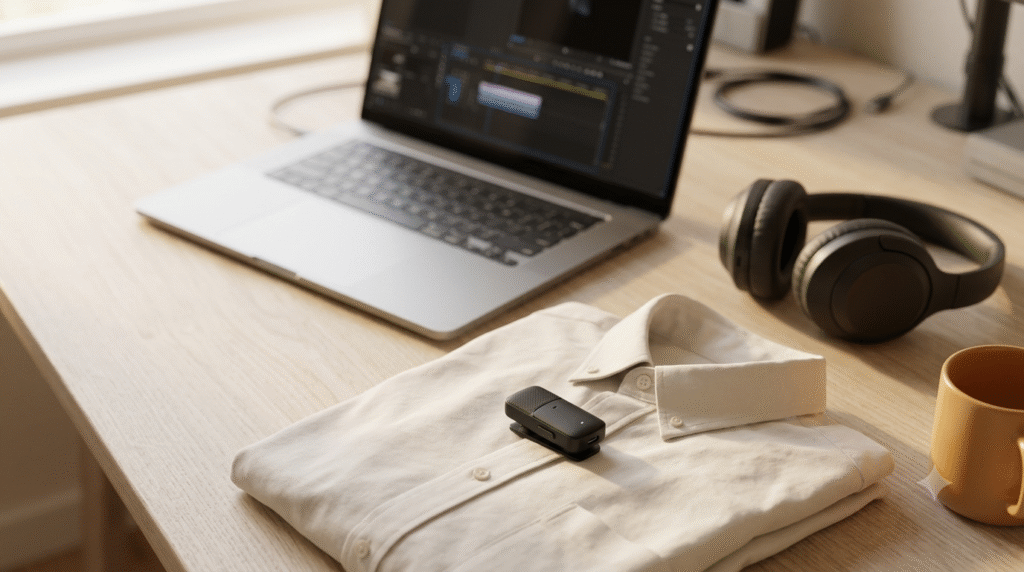
The example that makes the point is DJI’s Mic Mini 2S, launched in China on 2 July 2026 with a global announcement following on 4 August. It is the first mic in DJI’s Mini line to record on the transmitter itself rather than only streaming to a receiver, with 14.5 GB of internal storage and 24-bit / 32-bit float recording, in a 12-gram transmitter with a 400-metre range, supporting up to four transmitters on one receiver.
The specification that matters is 32-bit float. In ordinary digital recording, if a level is set too high the signal clips and the information is destroyed — no amount of processing brings it back. In 32-bit float, the dynamic range is large enough that levels which would have clipped can be pulled back down in post with the detail intact. It is broadly the audio equivalent of shooting RAW rather than JPEG.
That capability existed before. What changed is that it is now available in a sub-$200 wireless mic aimed at ordinary creators rather than in professional field recorders.
The reason this belongs in an article about AI is a limitation nobody markets: AI cleanup cannot recover information that was never captured. Noise reduction, voice isolation and enhancement tools have improved dramatically, and they all work by making better decisions about the signal you recorded. If a guest’s laugh clipped into distortion, there is no signal left to make decisions about. The single most effective use of the AI toolkit is to feed it recordings that did not need rescuing.
The four-transmitter support matters for a related reason: recording each speaker to a separate track is what makes automated per-speaker processing and multicam switching work properly. Interviews recorded to a single mixed track limit what any AI tool can do afterwards, regardless of how good the tool is.
Availability and pricing vary by region and should be checked directly with DJI before purchase.
Premiere Pro and DaVinci Resolve: where each stands
Both have invested heavily and the honest 2026 answer is that neither has a decisive AI advantage.
| Adobe Premiere Pro | DaVinci Resolve Studio | |
|---|---|---|
| Text-based editing | Yes | Yes, via Speech to Text |
| Silence detection | Yes | Yes, identifies silent sections within clips |
| Auto captions | Yes | Yes |
| Generative fill / extend | Generative Extend, via Firefly | Generative Extend |
| Subject isolation | AI background removal | Magic Mask, via the Neural Engine |
| Speed retiming | Optical flow | Speed Warp |
| Upscaling | Available | Super Scale |
| Scene detection | Automatic scene detection | Scene Cut Detection |
The differences that actually decide it are not AI features. Premiere’s advantage is workflow integration for social-first creators — text-based editing, auto reframe and captions inside one Creative Cloud ecosystem. Resolve’s advantage is that the Neural Engine features sit alongside the strongest colour grading and audio post in the category, and that a highly capable free version exists at all, with the AI tools reserved for Studio.
Choose on the rest of the toolset and the licensing model. Choosing on AI features means choosing between two near-identical lists.
A realistic AI-assisted workflow
For a dialogue-driven video podcast, this is where the current tools genuinely land.
Capture. Separate track per speaker. 32-bit float if the hardware supports it. This stage determines the ceiling for everything after it, and no later step can raise that ceiling.
Transcribe. Automatic, immediately. Everything downstream depends on it.
Review the transcript for the words that matter. Names, companies, technical terms, anything your audience would notice being wrong. Ten minutes here prevents the errors that are visible to exactly the people whose opinion counts.
Cut in text. Structural edits in the transcript. This is where most of the time saving is realised.
Run silence and filler removal — then check the pauses. Accept the mechanical cuts; restore the deliberate ones. This step is where unreviewed automation most reliably damages good material.
Generate clip candidates, then choose them yourself. Use the tool as a shortlist. The selection is editorial and is not delegable.
Auto-reframe verticals, then spot-check. Tracking fails on cuts, on movement and when two people are in frame. It is fast to scan and fast to fix.
Captions last, reviewed against the corrected transcript.
Realistically, that removes most of the mechanical labour from a dialogue edit while keeping every judgement call with a human. It is a large saving. It is not the same as automating the job.
What this means for people who edit for a living
The tasks AI has taken are the ones junior editors were traditionally paid to do — transcription, sync, caption timing, first-pass assembly. That is a real change in what entry-level work looks like, and it is worth stating plainly rather than dressing up.
What it has not taken is the reason clients hire editors: knowing what to keep. Every failure mode in the “what AI still gets wrong” section is a judgement about meaning, emphasis or fairness, and none of those has moved much despite substantial capability gains elsewhere.
The realistic near-term shape is fewer hours billed for mechanical work and more for structural and editorial decisions. That is a harder business to start in and, for people who are already good at the judgement part, a better one to be in.
The broader pattern is one TechyKnow has followed through the low-code and no-code development boom: tools that remove the technical barrier to producing something do not remove the skill of knowing what to produce. The bottleneck moves; it does not disappear.
The practical next step: before adding another AI tool to your workflow, check whether you are recording each speaker to a separate track. If you are not, fixing that will improve your output more than any editing feature in this article — because every tool listed here works better on material that was captured properly in the first place.