Apple’s fifth developer beta of iPadOS 27 is here, and it focuses on something the company doesn’t always prioritize: small, deliberate polish. Instead of a headline feature, this build reworks app icons, adds hover behavior for window controls, expands Siri’s voice options, and quietly makes software updates easier to track. If you’re wondering what’s actually different in iPadOS 27 beta 5, here’s a complete breakdown of what changed and why it matters.
Key Takeaways
- Window controls now respond to hover: the traffic light buttons expand slightly when you hover with a mouse or Apple Pencil, matching macOS behavior.
- Four app icons were redesigned: Safari, Preview, Siri, and (with only minor tweaks) Remote and Settings.
- Siri’s voice is now more customizable: you can adjust pace and expressivity for both American and British voices, and overall voice quality has improved.
- The battery icon now matches the iPhone’s version, closing a small but noticeable visual gap between the two platforms.
- Software Update settings now show the date of your last installed update for the first time.
- The Siri orb has a new, more minimalist look, continuing Apple’s move toward simpler visuals.
- iPadOS 27’s final public release is expected in the coming weeks.
What Is iPadOS 27 Beta 5?
iPadOS 27 beta 5 is the fifth developer test build of Apple’s next iPad software update, released through the Apple Developer iPadOS Beta Program to refine the user experience and bring the iPad’s design language closer in line with macOS and iOS. Rather than introducing major new capabilities, this beta is about consistency: aligning icons, animations, and system details so the iPad feels like part of one connected Apple ecosystem rather than a separate platform.
How Do the Redesigned Window Controls Work?
The most functionally interesting change in this beta is the new hover effect for window controls. When you move a mouse cursor or hover an Apple Pencil over the traffic light buttons (the close, minimize, and expand controls in app windows), they now expand slightly, just as they do on a Mac.
This isn’t just a cosmetic flourish. It’s a strong signal that Apple is building toward closer alignment between iPad and Mac interaction models, potentially including future hardware like touchscreen-enabled MacBooks. By testing this kind of pointer-aware, precision-friendly interface behavior now, Apple appears to be laying groundwork for a more unified experience across its devices down the line, the same kind of deliberate hardware refinement we’ve seen from other manufacturers, like GoPro’s next-gen large sensor action camera, where incremental engineering changes end up defining the next generation of a product.
Which App Icons Were Redesigned in iPadOS 27 Beta 5?
Apple refreshed several system icons in this build. Here’s what changed:
| Icon | What Changed | User Reaction |
|---|---|---|
| Safari | Compass elements are more pronounced, improving clarity | Generally well received |
| Preview | Redesigned to align visually with other system icons | Mixed: some find the new design’s purpose unclear |
| Siri | Now resembles the Siri orb used in the interface | Widely praised for improved aesthetics |
| Remote | Minor cosmetic tweak | Little functional impact |
| Settings | Minor cosmetic tweak | Little functional impact |
The common thread across all of these updates is visual consistency. Apple wants every icon across iPadOS to feel like it belongs to the same design system, regardless of which device you’re using.
What’s New with Siri Voice Customization?
iPadOS 27 beta 5 expands how much control users have over Siri’s voice. You can now adjust:
- Pace: how quickly Siri speaks
- Expressivity: how much tonal variation Siri’s responses carry
These controls apply to both American and British Siri voices. Beyond the new customization sliders, Apple has also improved overall voice quality, resulting in speech that sounds smoother and more natural. Together, these changes point to Apple treating Siri less like a fixed utility and more like a personalized assistant users can tune to their own preference, part of a wider industry shift where AI assistants increasingly rely on shared standards to connect with apps and services. If you’re curious how assistants like Siri fit into that bigger picture, our guide on what Model Context Protocol is breaks down the standard shaping how AI systems talk to external tools.
Why Did the Battery Icon Change for iPadOS 27 ?
The battery icon in iPadOS 27 beta 5 has been redesigned to match the version already used on iPhone. It’s a small detail, but it matters for a specific reason: Apple has been steadily closing small visual gaps between iPadOS and iOS so that switching between devices feels seamless rather than jarring. A consistent battery icon means one less thing that looks “different” when you pick up your iPad after using your iPhone.
What Is the New Software Update Transparency Feature?
For the first time, iPadOS now shows the date of your last installed software update directly inside the Software Update settings screen. Previously, tracking exactly when you last updated your iPad wasn’t straightforward. This addition gives users a clear, built-in record, useful for troubleshooting, IT management, or simply knowing whether you’re behind on updates.
How Has the Siri Orb Design Changed?
The Siri orb, the animated visual that appears when Siri is active, has been redesigned with a more subdued, minimalist look. Reactions are split: some users like the cleaner, less busy appearance, while others miss the more vibrant, colorful version from earlier builds. Either way, the change fits Apple’s broader pattern in this release of trimming visual noise across the system.
Why Does Cross-Platform Consistency Matter Here?
Nearly every change in iPadOS 27 beta 5, from the icons to the battery indicator to the hover effects, points toward one strategic goal: making iPadOS, iOS, and macOS feel like variations of a single connected system rather than three separate platforms. This isn’t just about aesthetics. A more unified design language:
- Reduces the learning curve when switching between an iPad, iPhone, and Mac
- Makes future hardware convergence (like touch-enabled Macs) feel like a natural next step rather than a jarring shift
- Reinforces brand consistency across Apple’s entire product line
iPadOS 27 Beta 5: Pros and Cons
Pros
- Refined, more mature visual design across system icons
- Genuinely useful update-tracking feature for troubleshooting
- More natural, customizable Siri voice experience
- Hover interactions make mouse and Apple Pencil use feel more precise
Cons
- No major new functional features in this specific beta
- The Preview icon redesign has drawn some confused reactions
- The more minimalist Siri orb won’t appeal to everyone
When Will iPadOS 27 Be Released?
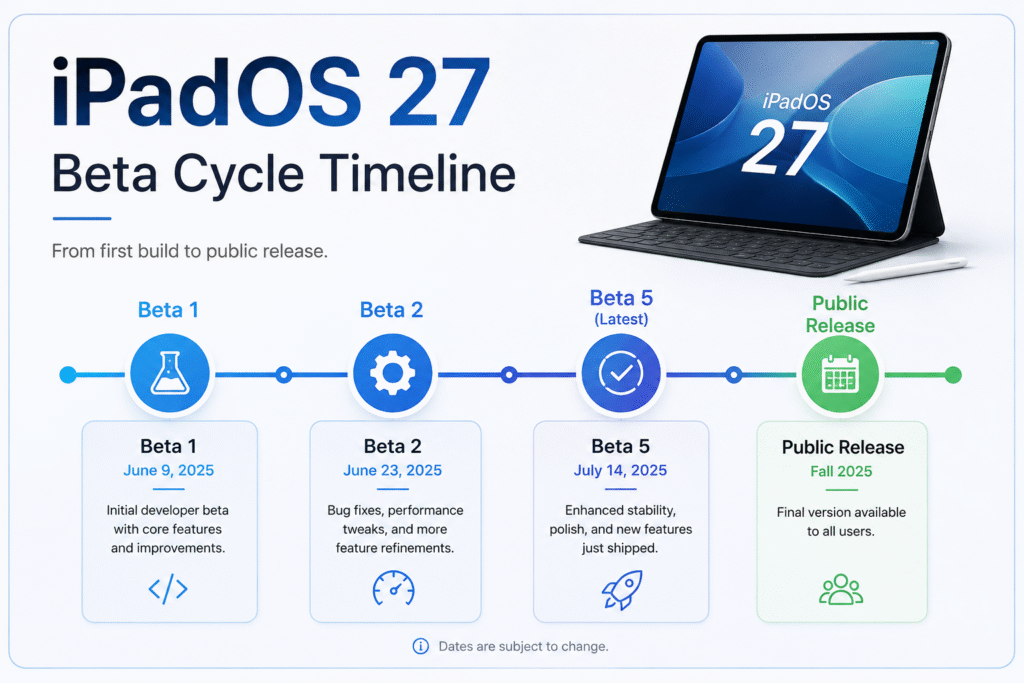
Based on the current beta cycle, the final, public version of iPadOS 27 is expected within the coming weeks. As with previous Apple software cycles, additional betas may still arrive before the stable release rolls out to all supported iPads.
Frequently Asked Questions
What is new in iPadOS 27 beta 5?
iPadOS 27 beta 5 introduces hover effects for window controls, redesigned Safari, Preview, Siri, Remote, and Settings icons, expanded Siri voice customization, an iPhone-matching battery icon, and a new feature that shows the date of your last software update.
Does iPadOS 27 beta 5 change the Siri icon?
Yes. The Siri icon has been redesigned to resemble the Siri orb seen elsewhere in the interface, and this update has been widely praised for its improved look.
Can I customize Siri’s voice in iPadOS 27 beta 5?
Yes. You can adjust the pace and expressivity of both American and British Siri voices, and overall voice quality has also been improved for a more natural sound.
Why did Apple redesign the battery icon in iPadOS 27?
Yes, Apple updated the battery icon to match the version already used on iPhone, part of a broader effort to keep visual elements consistent across its devices.
Does iPadOS 27 beta 5 show my last software update date?
Yes, for the first time, iPadOS displays the date your last software update was installed directly within the Software Update settings screen.
What are the hover effects for window controls in iPadOS 27?
When using a mouse or Apple Pencil, hovering over a window’s traffic light buttons now causes them to expand slightly, mirroring the same behavior found on macOS.
Is iPadOS 27 beta 5 a major update?
No. This beta is focused on refinement rather than major new features. It’s primarily about redesigned icons, interface consistency, and small usability improvements.
When will iPadOS 27 be publicly released?
The final version of iPadOS 27 is expected in the coming weeks, following the standard developer beta testing cycle.